- The Learning Lab
- Posts
- How I remember every Youtube video I watch Pt 2

Last week, we covered part 1 of how I intentionally remember a YouTube video :
Do you still remember the steps?
Identify a problem
Find 2 - 5 videos in the topic
Organize the transcripts with ChatGPT
Find the keywords/ key concepts/ key ideas
Write questions you are curious about
Answer the questions → Represent on Mindmap
Repeat step 5 - 6 😁
This newsletter is a demonstration of how I follow these 5 steps to remember details from YouTube videos:
You can watch the live demonstration with this loom video below:
You can follow along though this Notion template 😉
1. The problem:
Let’s say that I have problem with procrastination. I can’t seem to get work done and my body doesn’t listen to my mind.
The root cause:
Procrastination → Why? → Low energy level → Why? → Not getting enough sleep, not exercising.
Procrastination → Why? → Overwhelming tasks → Why? → Too many tasks → Why? → No systems for managing tasks.
Procrastination → Why? → Not enough time → Why? → Too many tasks →Why? → No prioritization.
So the root causes are:
Not getting enough sleep + exercise
No systems for managing tasks
Unclear task prioritization.
From here we identify that #2 + #3 are related, so I will merge it together to solve it at once.
2. Find 2 - 5 videos in the topic
My criteria for finding videos:
The creator must show clear credibility and authority about the topic
Use long-tail search queries to find more specific videos
For demonstration, I find videos 8 - 10 minutes only
Don’t get too fixated by the number of views
Now let’s search:
My search queries are:
How to develop a simple task manager system with clear prioritization.
My filters:

Nothing fancy :)
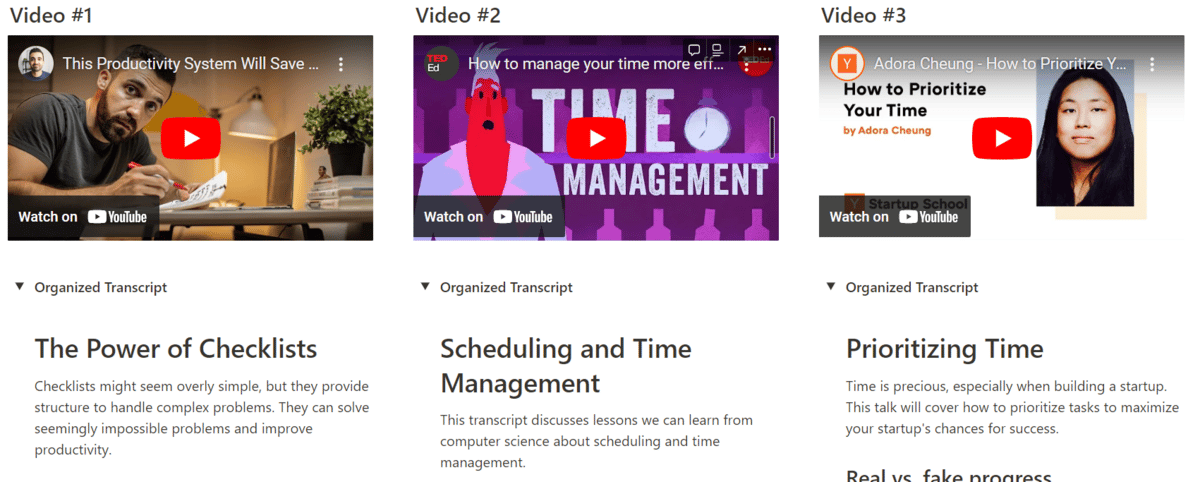
Here are some videos I found:



Productivity experts
Productivity influencer
School of entrepreneurs
Feel free to play around with the search to find the most suitable videos for you.
3. Organize the transcripts with ChatGPT
This step is self explanatory, just use this prompt to reorganize the transcript and paste it into a Google Docs.
Take your time because you will be using the Google Docs/ Notion a lot.
Here’s how I did it:
4. Find the keywords from the transcript:
Quickly skim through the transcripts for anything that stand out for you.
Key concepts
Key ideas
Keywords
This steps give you the gist of what you are about to learn and help you form the questions in step 5.

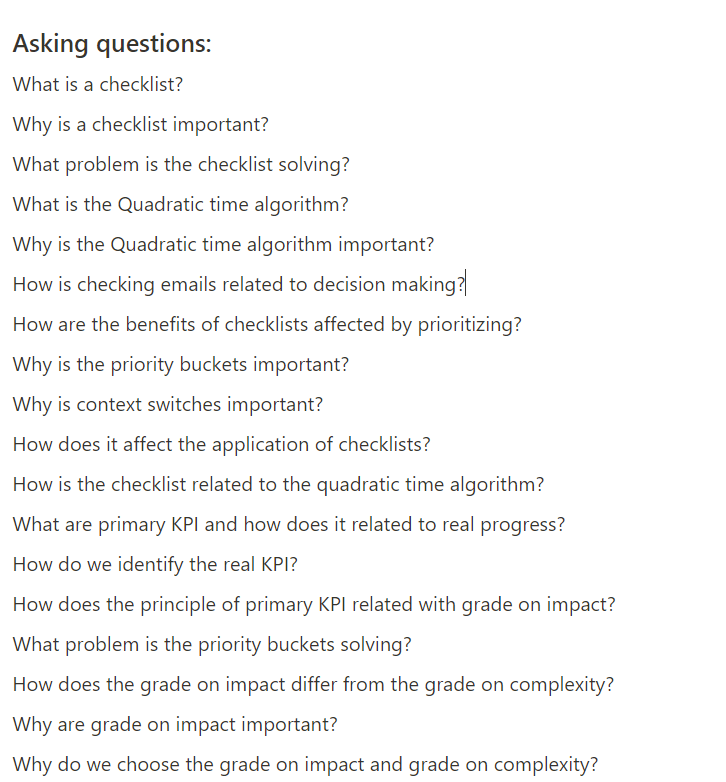
5. Write questions you are curious about:
Like we covered, the best questions when learning reveal the relationships for your learning:
What is this?
Why is this important for me?
How is this related to …?
To get used to the process of IBL, try to make at least 20 questions.
5. Answer the questions → Represent on Mindmap
Step 5 is the hardest and most important part of the process.
While answering these questions, wear your problem solving hat.
What other details are you missing?
What follow up questions do you have?
Think like a detective.
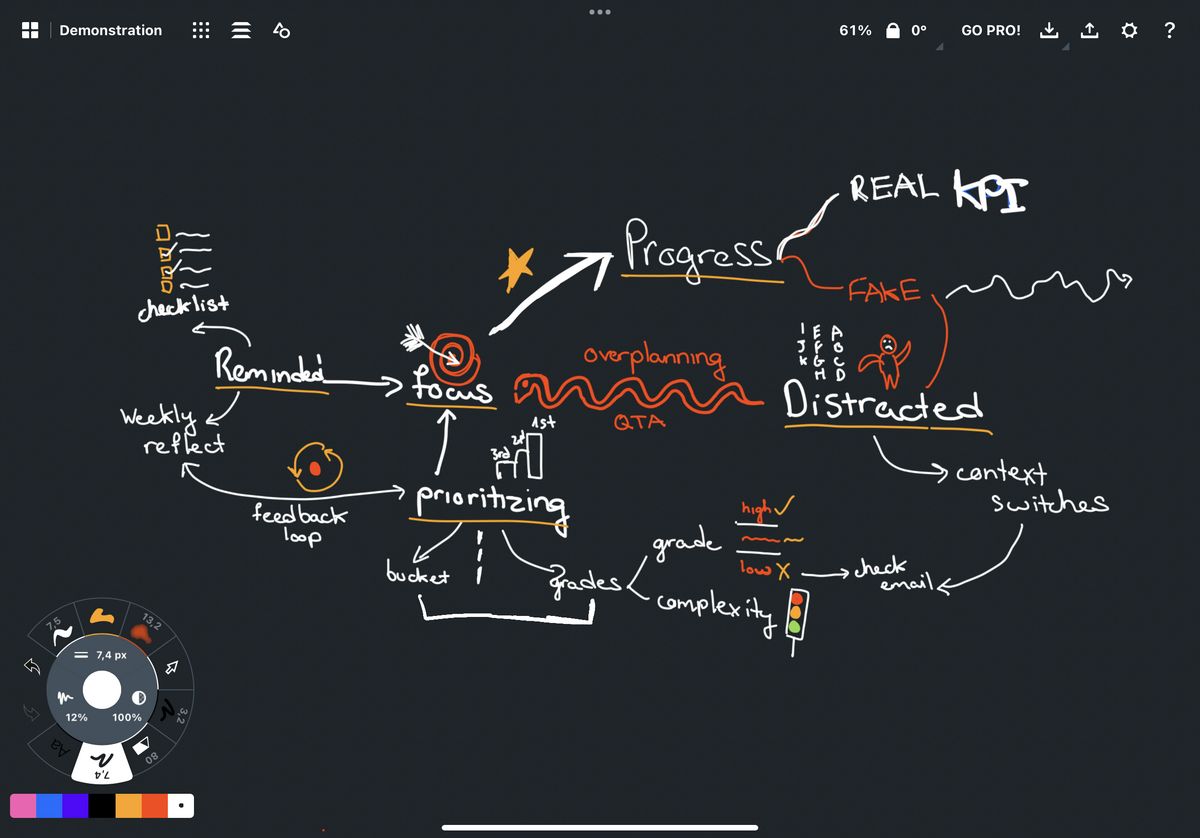
My thought process behind the mindmap:
From here, you have the backbone of what you are about to learn…
This is like planning before building your house…
Continue asking and answering questions to add more details into your mindmap.
Cautions ⚠️
Step 5 is the most important step, because:
You are processing the information → more relevancy + connections → better memory and recall.
That’s our end goal. 🥅
If we just learn it properly in the first place, we will need less flashcards, Feynman technique, spaced-repetition.
Few cautions for step 5:
Take breaks.
Ask more interrelation chunks questions.
Embrace the discomfort and struggle when learning.
Finally, just to make sure we remember what we learned, add a simple spaced repetition system in.
Review your learning after:
1 day
1 week
1 month
In the session, you can try different methods of active recall, here are some:
Teaching it to someone
Creating scenarios of when you will use info
Create practice questions about the concepts
Watch this video to learn more interleaving + spaced repetition + active recall:
CTAs:
Take 15 - 20 minutes to practice with this system. Then reply to me with what you created. 😁
I don’t run ads for this newsletter. So if you want to support this newsletter, share it with a friend. (We just crossed 1000 subscribers🫢)
Reply to me what you want to read more about, I’ll reply to every message.
Your friend Toan!
Side notes:
I was super surprised when one of my thread went semi viral this week. I know this number ain’t much, but it does means a lot for me 🙏
Furthermore, I just built this new website too! http://zaap.bio/toantruong
If you have any feedback for me, just reply to this email.
Thank you everyone!
2